The Automated SEO Engine, Part 1: Strategy & Foundations

Most startups spend a lot of money trying to get noticed. They buy Facebook ads, send cold emails, or compete with companies that have been around for ten years for broad searches like “photo vault app” or “invoicing software.” Those are crowded, expensive places to fight.
Rasty Turek took another route when he launched Vaultaire, an encrypted photo and file storage app he built in three weeks. He didn’t run paid campaigns. Instead, he used the data Google already gives you about your website to decide what to write next. It took Vaultaire from $66 in its first month to over $40,000 a month in recurring revenue, with people finding it through search.
This is also the approach we’re taking at Billino, the invoicing product I’m building. The examples in this series come from there. If you need compliant invoices, take a look.
This post explains how that works, from scratch. You don’t need to know anything about SEO to follow it. Part 2 covers finding even more topics to write about.
First, a few words you’ll see
SEO (search engine optimization) just means making your website show up when people search on Google.
Google Search Console is a free tool from Google that shows how your website does in search. It tells you which searches your site appeared for, and how many people clicked.
Impression means your site showed up in someone’s search results. They saw it, even if they didn’t click.
Position is where your page sits in the results. Position 1 is the very top. Positions 1 to 10 are “page 1”, positions 11 to 20 are “page 2”, and so on.
That’s enough to get started. I’ll explain anything else when it comes up.
The Big Idea: Find Out What Google Already Likes About You
The usual way to do SEO is to guess. You brainstorm topics, write articles and hope Google puts them in front of people.
This approach flips that around. You look at the data first. Google Search Console already tells you what people searched for when your site came up. You use that to decide what to write or fix, so you’re working from what real people want instead of what you guess they want.
You can check this by hand, or use a tool like gum to pull the data automatically. That’s where the “automated” part comes from.
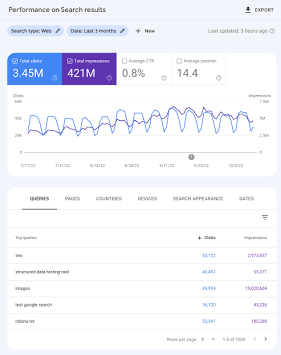
This is what the Performance report in Search Console looks like.*
*Example screenshot for illustration only, not real data.
The Iceberg
Think of your search results as an iceberg. Most of it is hidden under water.
                   PAGE 1 (Positions 1-10)
        [ Actual Clicks & Direct Web Traffic ]
~~~~~~~~~~~~~~~~~~~~~~~~~~~~~~~~~~~~~~~~~~~~~~~~~~~~~~~  <-- The Visibility Line
                   PAGE 2-6 (Positions 20-60)
         [ Thousands of Unclaimed Impressions ]
         [ Google is testing your relevance! ]
Almost everyone clicks on results from page 1. Hardly anyone goes to page 2, 3 or 4. So the top is where the traffic is.
But when Google thinks your website might be relevant to a topic, it often shows you on pages 2 to 6 (positions 20 to 60) as a test. Here’s what that looks like:
- Thousands of people see your result every month.
- Almost nobody clicks, because it’s buried on page 4 or 5.
- Most people ignore this because it looks like nothing. But it’s valuable. Google is telling you “you might be a good answer here”. You just haven’t given it a good enough page yet.
Why Google Shows the Wrong Page
You might wonder why Google shows your site for a topic you never wrote about.
When someone searches for something very specific and no website has a page that answers it, Google picks the closest thing it can find from a site it trusts. Often that’s yours, but it’s usually the wrong page, like your homepage or pricing page.
Here’s an example of what that looks like in your data:
| What people searched | Page Google showed* | Position* | Clicks* | What’s wrong |
|---|---|---|---|---|
"DATEV CSV format export error 104" | https://billino.io/pricing | 38 (page 4) | 0 | Wrong page. Someone has a technical problem with an export, and Google showed them a pricing page. |
"how to format B2B invoice for German client" | https://billino.io/ | 42 (page 5) | 0 | No page for this. Someone has a question about invoicing rules, and Google showed them the homepage. |
*Example data. The searches, pages and positions in this table are made up to show the pattern.
Nobody is clicking, because those pages don’t answer what the person asked.
The Fix
When you spot a search where Google shows the wrong page:
- Figure out what the person actually wanted to know.
- Write a page that answers exactly that. For example,
billino.io/blog/datev-csv-export-error-104. - Google will visit your site again, find the new page, and see that it matches the question perfectly. It will show that page instead of the pricing page, and your ranking can jump from position 38 to page 1.
The 4-Step Loop
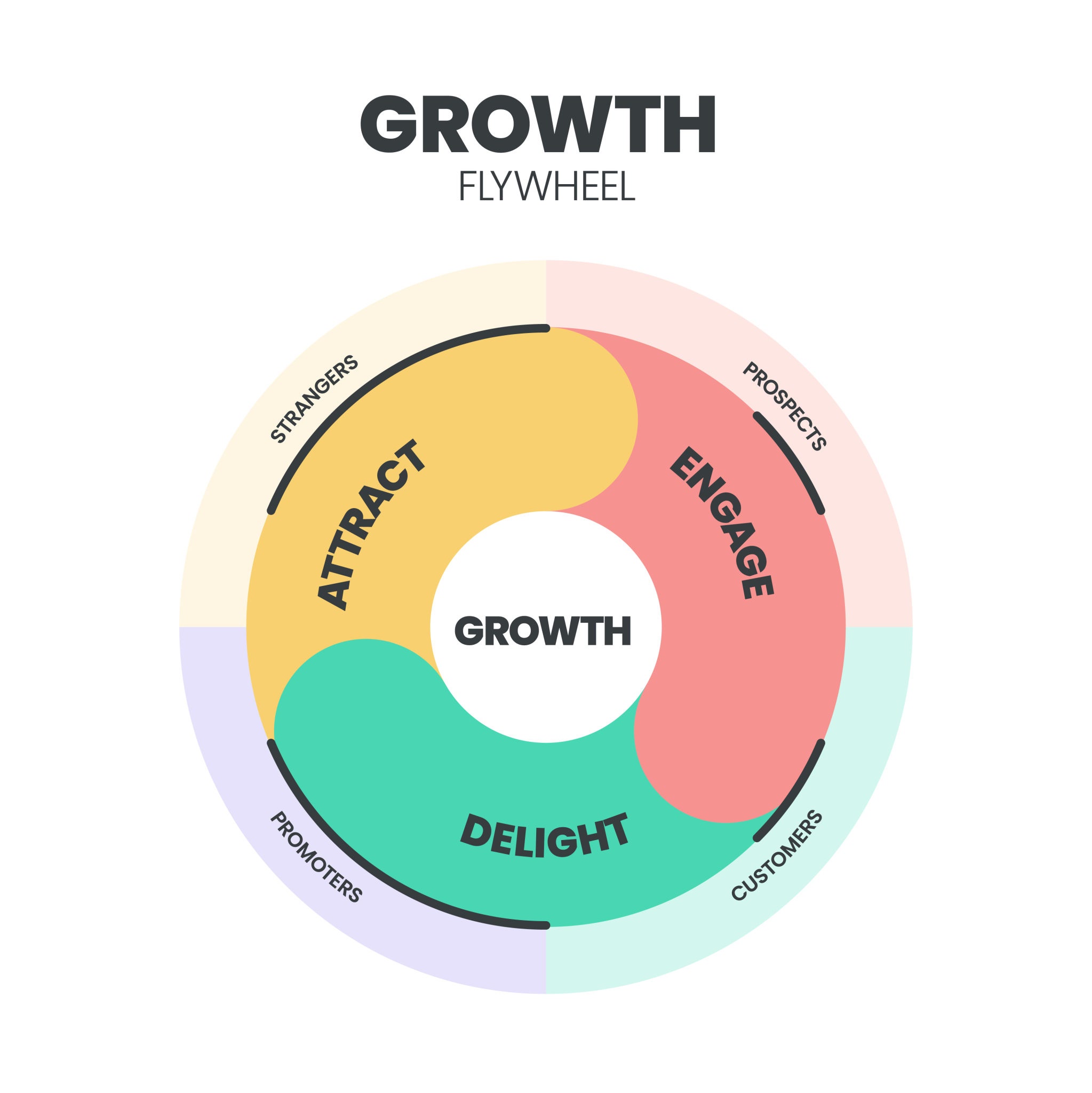
The full system has four parts. Think of it as a cycle you keep repeating. Each one has a direction, which just means where you start and what you’re looking for.
Step 1: Find the gaps
- Where you start: a search that people made, and which of your pages came up
- What to do: Look in Search Console for searches where your site sits at position 20 to 60, has lots of impressions (more than 100) and almost no clicks (fewer than 10). In plain terms, lots of people saw you and nobody clicked.
- Then: Check whether the page Google showed is a good answer. If it’s something generic like your pricing page, write a new page that answers that search properly.
Step 2: Go after a specific search you care about
- Where you start: a search you want to win
- What to do: Pick a search that matters for your business, for example
"EU e-invoicing API". Check where you rank, how many people see it, and who is above you. - Then: If your page loses mainly because the other sites are bigger and more trusted (this is called domain authority), don’t keep fighting for that big search. Start with narrower, more specific versions of it (called long-tail searches). They have fewer people looking, but much less competition. Winning those builds up Google’s trust in you for the bigger topic.
Step 3: Improve pages you already have
- Where you start: a page you’ve already published
- What to do: Look at which other searches that page is starting to show up for.
- Then: You often don’t need a new article. Add a new section, a short list or an FAQ to the existing page that answers those extra questions directly. (An
## H2is just a section heading.)
Step 4: Protect what’s working
- Where you start: pages that are already on page 1
- What to do: Keep an eye on them. Rankings slip over time, for example a page going from #3 down to #8 over 60 days*.
- Then: Refresh the page. Update anything out of date, add answers to new questions people are asking, and add more links to it from your other pages. Do this before the traffic drops off.
*Example numbers, for illustration only.
Getting Google to Trust You More
Writing good pages is only half the job. To stay on page 1 against bigger websites, there are two simple things to do:
- Link your own pages together. Every time you publish a new guide, add links to it from three or four of your existing pages. Use the main search phrase as the clickable text (this is called anchor text). Links between your own pages are free, and they help Google understand that the new page matters.
- Build free tools people want to link to. For example, a small tool that checks an EU VAT number, or one that checks a DATEV format. Other websites, like industry blogs and guides, tend to link to useful tools on their own. Links from other sites (called backlinks) are one of the strongest signals Google uses, and you get them without paying for them.
What’s Next
Search Console can only show you searches your site has already appeared for. In Part 2 we look at how to find topics beyond that: finding searches nobody has answered yet, seeing what your competitors rank for, and checking that the pages you publish actually worked.